No keySafety checked
unknown Sep 16 15 views
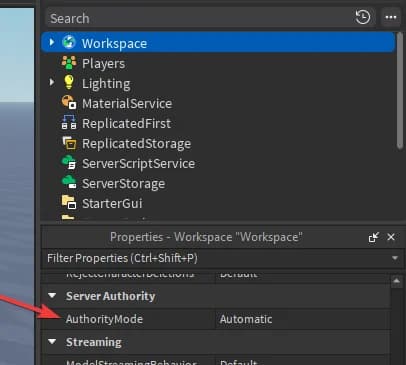
Easy way to get a preview of how server authority will function.
Steps to reproduce what I have done:1. Use RobloxStudioModManager (https://github.com/MaximumADHD/Roblox-Studio-Mod-Manager)2. Download version v0.690.0.69007213. Use Internal Studio Patcher to get Internal Permissions inside studio (https://github.com/7ap/internal-studio-patcher)4. Within RobloxStudioModManager, click "Edit Flags" and override few FFlags
After that, if you click play, you will be playing with the REAL server authority (try setting your walkspeed on the client and you won't be able to speed hack for example)This also fully enables AuroraService and AuroraScripts.
Press Get Script to open the loadstring right away.
Copy the loadstring from the page that opens.
Join the game on Roblox, paste the loadstring into your executor and run it.
Roblox
Console Output, Codeframe Cursor Offset